For the home mechanic
AI-assisted car diagnostics.
Plug an OBD-II adapter into your car and read the trouble codes. DeepDiag explains what they mean in plain language, how sure the AI is, and whether it's a job you can do yourself.
What it does
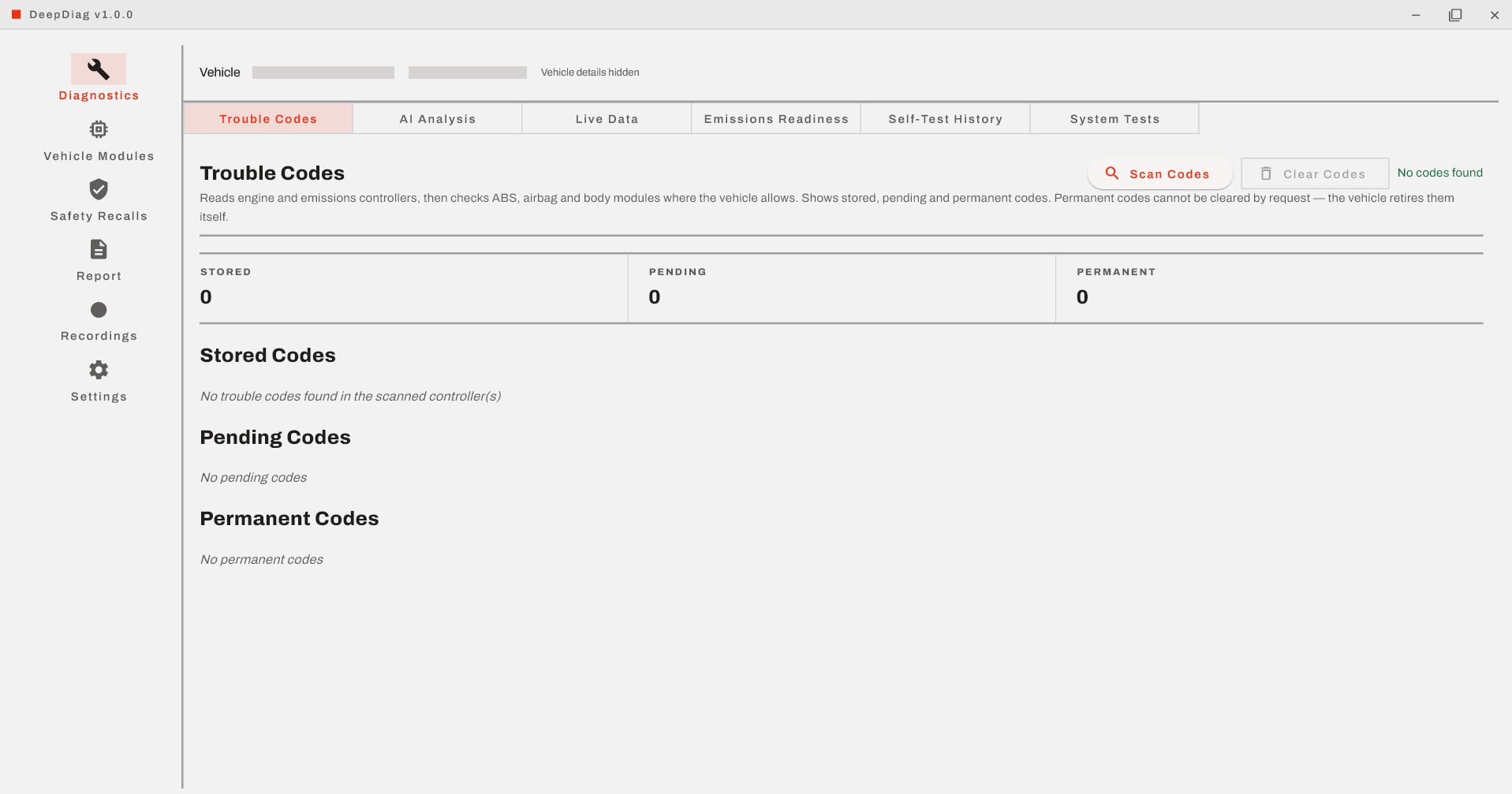
- Reads your trouble codes: from the engine and emissions controllers, and from ABS, airbag and body modules where the vehicle allows it.
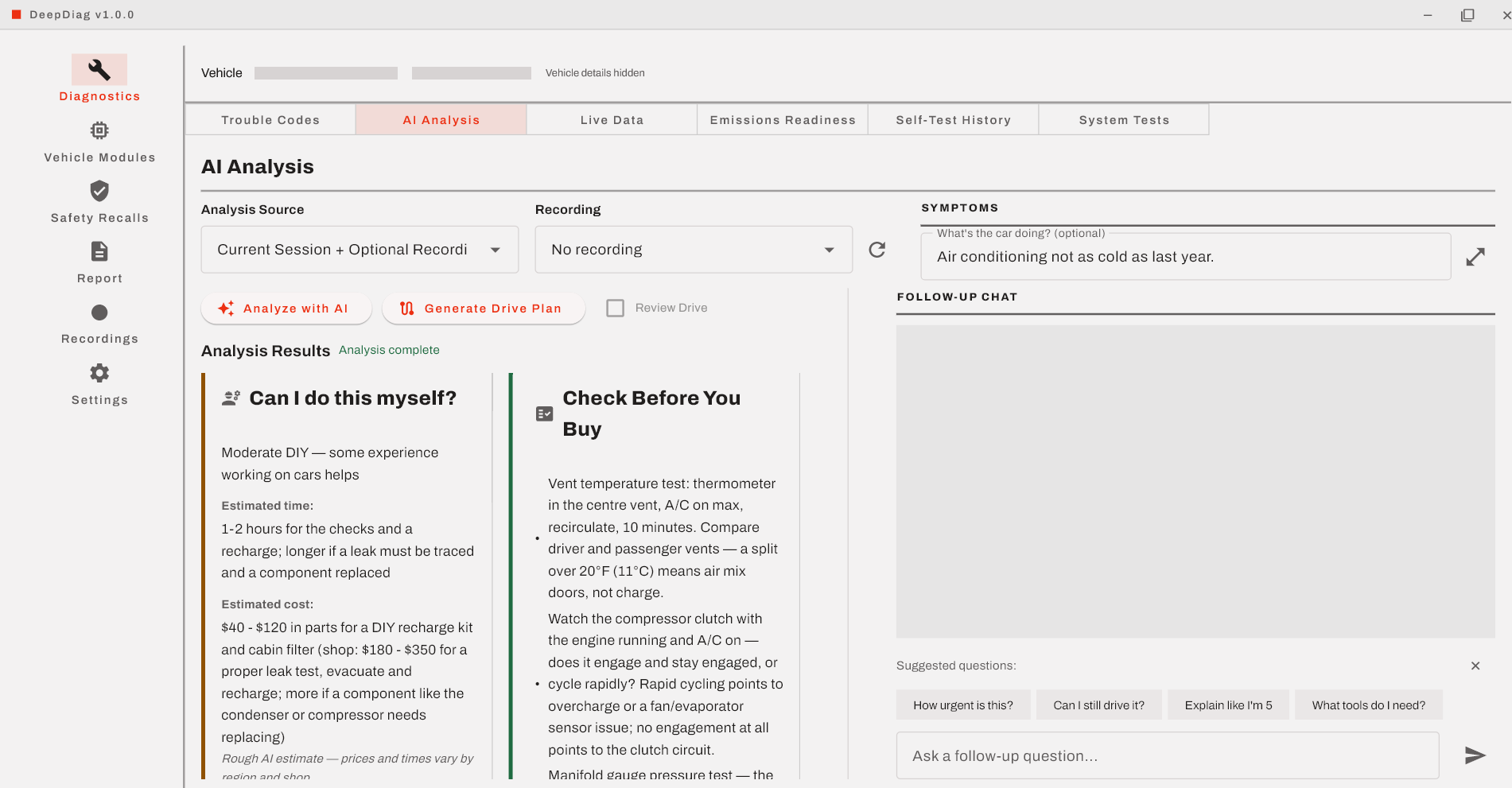
- Explains them in plain language: what the data shows, what the AI suspects, and how confident it is.
- Says whether you can fix it yourself: a rough time and cost estimate, and when to stop and see a professional.
- Helps you confirm before you buy parts: suggested checks to pin down the cause first.
- Answers follow-up questions about the diagnosis.
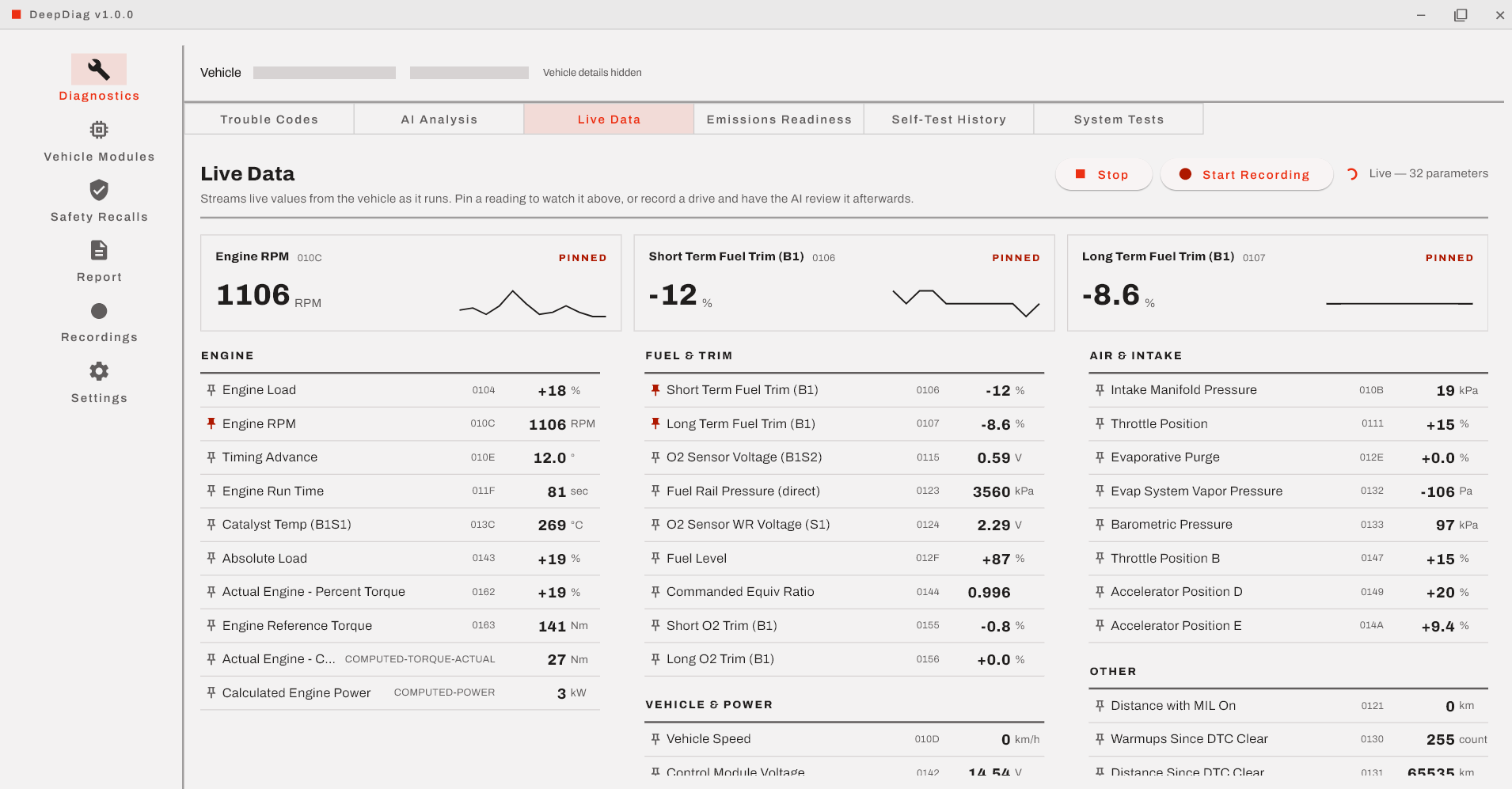
- Shows live sensor data: and records a drive for the AI to review, including a guided test drive.
- Checks emissions readiness: so you know whether the car is ready for a smog test.
- Looks up open safety recalls for your vehicle.
- Exports a report you can share with a partner or a shop.
Screenshots
What you need
- A Windows, macOS or Linux computer.
- An ELM327-compatible OBD-II adapter (USB or Bluetooth).
- A car with an OBD-II port: most cars and light trucks sold in the US from 1996 on.
- A DeepDiag Premium subscription. You sign in with a one-time code sent to your email, so there's no password.
Know the limits
DeepDiag gives an AI-assisted reading of the data your car reports. It isn't a professional inspection, a safety check or a guarantee, and the AI can be wrong. Confirm the cause before you buy parts.
Stop and see a professional (and don't keep driving) for anything involving:
- the brakes or steering
- airbag or other occupant-safety warnings
- a fuel leak or a smell of fuel
- a hybrid or electric vehicle's high-voltage system (orange cables)
- engine overheating or a low oil pressure warning
- a flashing check engine light